
Weekly payroll for food-kiosk crew, computed for you
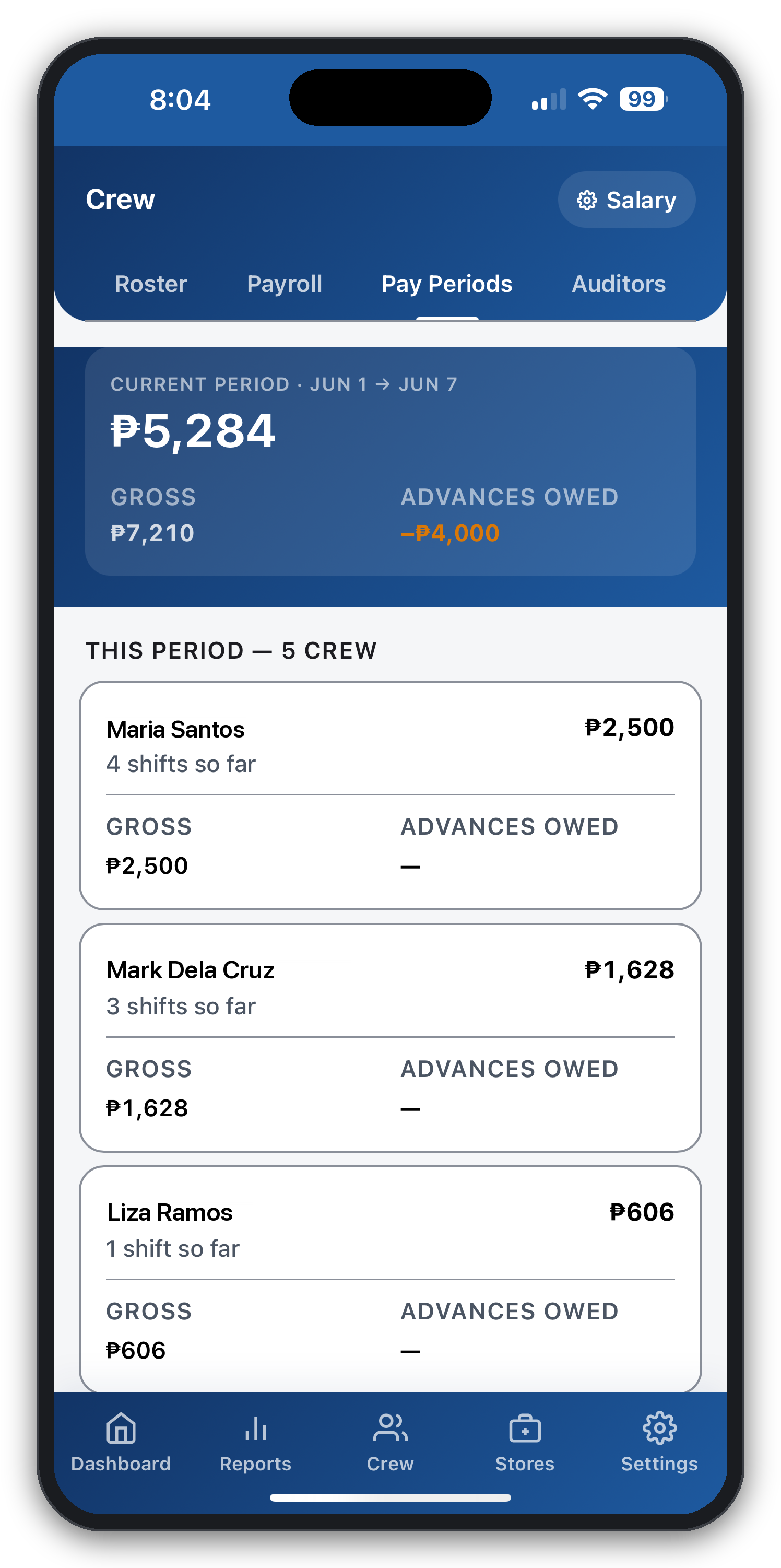
Sunday-night salary math is where small food businesses lose hours. CGRAM computes each crew member's pay automatically — from the same clock-in selfies and sales the app already records.
Pick the salary model that matches your store, and let CGRAM handle the arithmetic every payday.
No card needed · Works offline · Made for Philippine food businesses
Four salary models
Fixed daily rate, base plus fixed incentive above a sales target, base plus percentage incentive, or hourly from clock-in and clock-out times — set per crew member.
Hourly from real timestamps
Clock-in and clock-out are captured with a selfie at each end of the shift, so hourly pay is computed from actual hours worked, not guesses.
Paid weekly, every Sunday
CGRAM aligns to a Sunday-night payday and rolls the week's shifts, sales, and incentives into each crew member's total automatically.
Cash advances & deductions
Record a crew advance and schedule its repayment across paydays. Each installment is ticked off as it's deducted, so balances never drift.
Optional DOLE holiday pay
Turn on DOLE holiday-pay multipliers per store whenever you're ready. Off by default, so you enable them at the stage that fits your business.
SSS, PhilHealth, Pag-IBIG
Contribution computation is available as an opt-in feature for registered businesses, gated behind a per-store flag and computed at pay-period close.
Salary that matches how you actually pay
No two kiosk owners pay the same way. CGRAM supports a fixed daily rate, a base wage plus a fixed incentive once a sales target is hit, a base plus a percentage of sales above target, or a pure hourly rate driven by clock-in and clock-out timestamps. You set the model per crew member.
Because the app already records shifts and sales during the day, payroll isn't a separate data-entry chore — the numbers are simply totaled at the end of the week.
Advances handled without the drift
Crew cash advances are a fact of kiosk life, and they're where informal payroll quietly breaks. CGRAM records an advance and generates a repayment schedule across upcoming paydays. Each installment is manually ticked as it's deducted, so an advance can never be over-collected or silently forgotten.
Every deduction shows up as a clear line in the crew member's salary breakdown, so both owner and crew can see exactly what was taken and why.
Compliance you switch on when you're ready
DOLE holiday-pay multipliers and SSS, PhilHealth, and Pag-IBIG contribution computation are built in — but every one of them is off by default and enabled per store from a single feature-flag screen. CGRAM grows with your business: run core payroll today, and switch on each compliance feature when your store is ready for it.
Payroll and the auditor tools are included from the Starter plan at ₱299/month for up to three stores. Start free for 30 days first — no card needed.
Questions, answered
What salary models does CGRAM support?
Fixed daily rate; fixed base plus a fixed incentive above a sales target; fixed base plus a percentage incentive; and hourly based on clock-in/clock-out timestamps. Each crew member can be on a different model.
How is hourly pay calculated?
From the actual clock-in and clock-out times, each captured with a selfie. CGRAM multiplies the hours worked by the crew member's hourly rate.
Can I deduct cash advances from salary?
Yes. Record an advance and schedule repayment across paydays. Each installment is ticked off as it's deducted and appears as a line in the salary breakdown, so balances stay accurate.
Does it handle DOLE holiday pay and SSS contributions?
Both are available as opt-in features, off by default and enabled per store. Switch them on when your business is ready; until then, they stay out of your way.
Explore more
Run your kiosk from your phone — starting today
Try CGRAM free for 30 days. No card needed. Or message us for a live 15-minute demo on Messenger.
- Works offline
- Set up in minutes
- Cancel anytime